1. Choose Your Software
Select the software product, version, and license plan that best suits your requirements.
Purchasing a software license from Sam Data Services is simple. Choose your software and license plan, provide the required license details, complete your payment, and activate your software.
Select the software product, version, and license plan that best suits your requirements.
Enter your contact information and provide the required License Request File or Request Key, depending on the selected software.
Review your order and complete the payment using the available secure online or alternative payment methods.
After your order is processed, you will receive the required license information to activate and start using your software.
International Payments - Pay with PayPal
Pay with PayPalIndian Payments - Scan and Pay via UPI
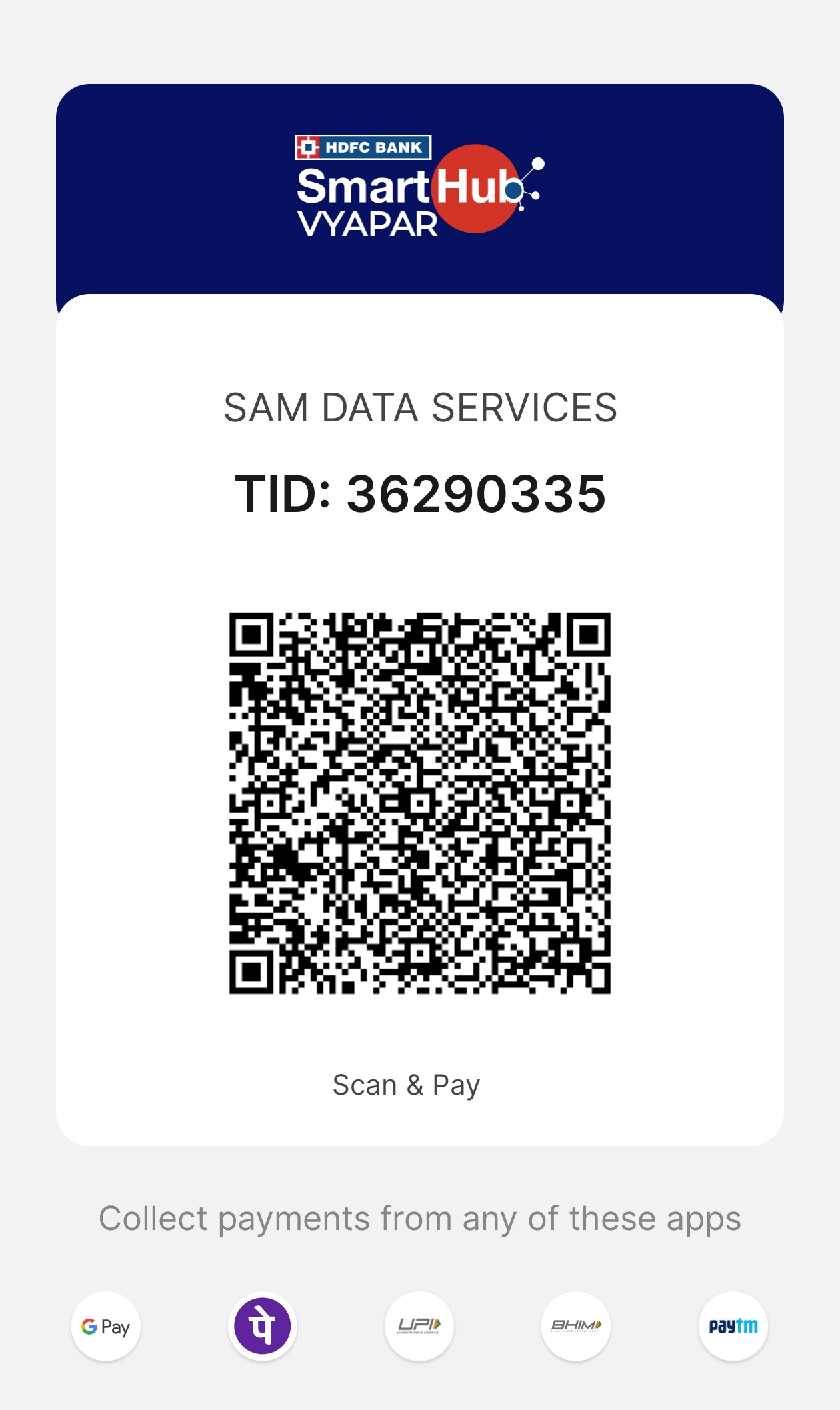
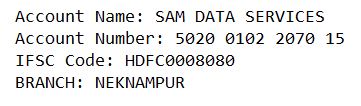
Disclaimer: Please verify the account details before initiating any transactions. Sam Data Services is not responsible for any incorrect transfers or misuse of this information.
Our support team is available 24/7 to help automate your business operations and workflows.
Prefer to talk? Call +91 90303 87947 or WhatsApp our team.
 for excellence.