Frequently Asked Questions (FAQs)
What is Image Super-Imposing Software?
It is a user-friendly and fast processing automation utility specially designed for data entry proofreading, HTML tagging, and image conversion projects. The software super-imposes images directly inside Word files, making proofreading comfortable to achieve 100% data accuracy in less time.
How does the super-imposing feature make proofreading easier?
The software places the source image and its corresponding converted text directly one below the other on the exact same line. This inline alignment eliminates split-screen eye fatigue, allowing your editing team to compare and spot discrepancies effortlessly.
What batch formatting capabilities does the software offer for Word files?
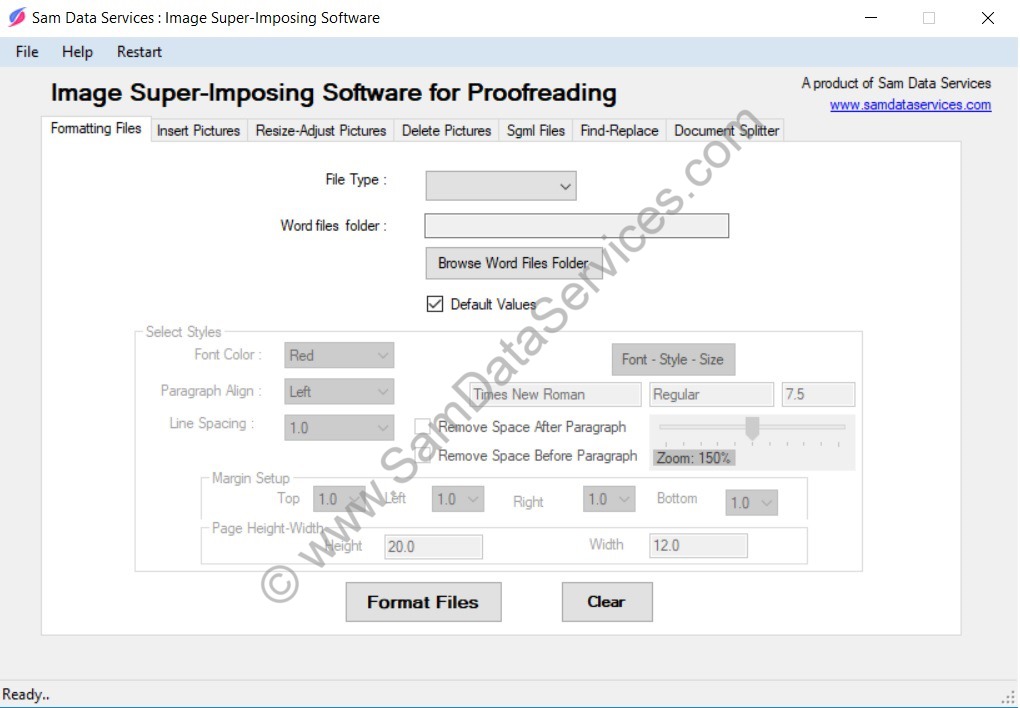
You can adjust comprehensive layout configurations in batch files simultaneously, including font styles (name, size, color), line spacing, paragraph alignment, margin boundaries, custom document dimensions, zoom percentages, and stripping spaces before or after paragraphs.
What image formats and file dimensions are supported?
The system fully processes bulk files and provides seamless scaling compatibility for images of any dimension. It accepts all standard graphic formats, including TIFF, GIF, JPG, BMP, and PNG files.
Does the software support multi-language data entry and special characters?
Yes, it supports multi-language project configurations including English, Dutch, French, and German. Because it functions seamlessly alongside Microsoft Word, you can insert any native special character or unique glyph directly into your text workflow.
How does the built-in Find and Replace tool optimize my workflow?
The software includes a batch Find and Replace tool for Word and text files. Once you identify commonly recurring OCR conversion typos, you can fix those matching bugs across your entire batch of files simultaneously with a single click.
Can this software be modified for custom project requirements?
Yes, this is a multi-purpose software framework. If your data entry workflow requires specialized layout behaviors or proprietary tools, the application can be fully customized upon request to match your exact business criteria.
Is there a free trial version available, and how can I get a license?
Yes, evaluation downloads are available to test the layout and formatting features. To purchase a full professional license or request a custom-built solution, you can submit an activation request through our main product portal.
 for excellence.