Natural Keystroke Simulation
Simulates natural keyboard typing to enter your text smoothly and reliably into supported text editors.

Focus Auto Typer Lite instantly transfers text into any software - even where copy-paste is disabled. No cost, no sign-up, just faster, effortless typing.
No credit card required · Works with Word, Notepad, text editors & more
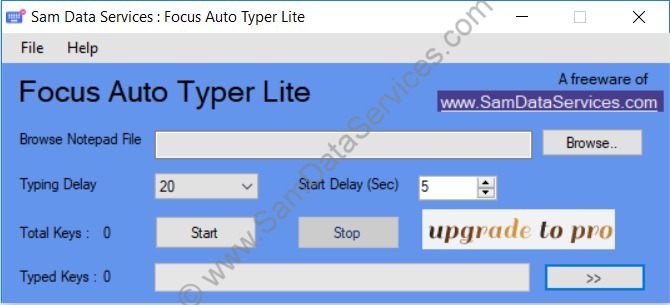
A lightweight, no-cost way to skip repetitive typing - built for anyone who wants results without the setup.
Simulates natural keyboard typing to enter your text smoothly and reliably into supported text editors.
Load a text file directly or paste content straight in - whichever is faster for your workflow.
No character caps here - paste and process as much text as your task needs, in one go.
Types text by simulating real keyboard keystrokes, making it useful in text editors where traditional copy-paste may be restricted or unavailable.
Handles special characters and symbols cleanly, so what you load is exactly what gets typed.
No installation hassles - load your text and start typing in under a minute.
Browse for a text file, or paste your content directly into the workspace.
Click into the destination app or field where you want the text typed.
Press start and watch Focus Auto Typer Lite type it out for you, instantly.
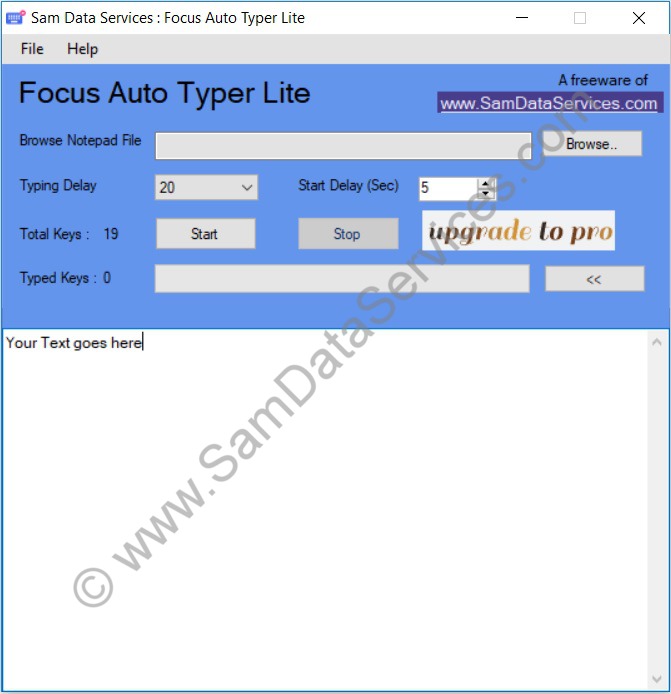
Download Focus Auto Typer Lite now, or step up to Pro for random typing speed, hotkeys, and unlimited text.
Need help? Contact us anytime at info@samdataservices.com

 for excellence.