
Focus Auto Typer Lite: Free Tool to Automate Typing and Save Time
Focus Auto Typer Lite is a free software designed to automate typing tasks efficiently. Ideal for use with copy-paste-disabled applications, this tool allows you to quickly transfer text into any third-party software within seconds. Save time and boost productivity with this easy-to-use utility. Download Focus Auto Typer Lite today and experience seamless text automation.
Note: For more premium features, explore
Focus Auto Typer Pro
Core Features
- check_circle Simulates natural keyboard keystrokes natively, presenting inputs exactly like manual typing strings.
- check_circle Provides multi-option content ingestion—browse text files directly or execute standard clipboard copy-paste operations.
- check_circle Maintains an unconstrained capacity environment allowing you to paste and process unlimited bulk text inputs.
- check_circle Bypasses strict structural restrictions on target applications where right-click context paths or copy-paste routines are forced shut.
- check_circle Optimized text mapping processing guarantees flawless execution with sophisticated symbols and special characters.
How to Use Focus Auto Typer
-
1.
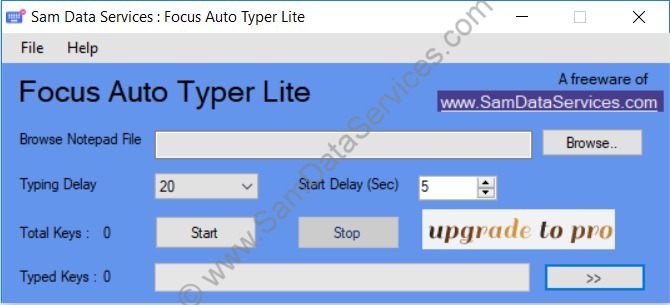
Click on browse, target your native text file, and instantly load the data structure into the buffer.
-
2.
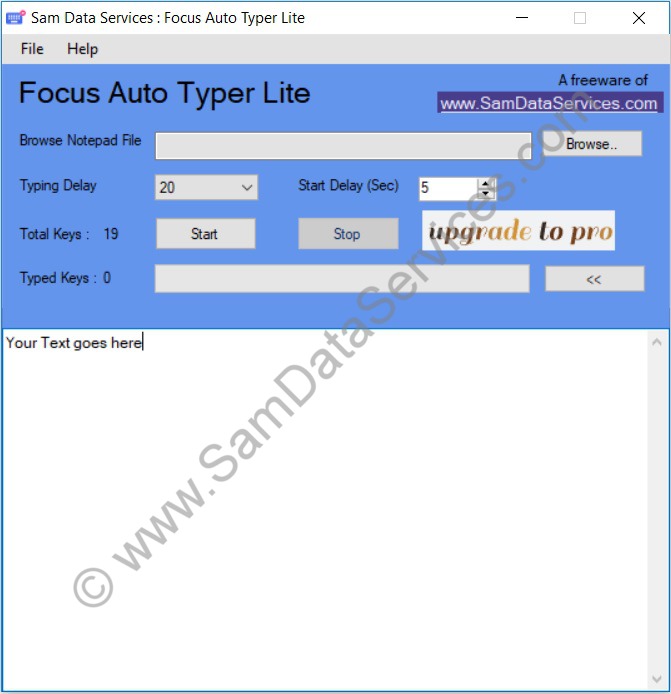
Alternatively, skip navigation and manually paste strings straight into the active window workspace textbox.
-
3.
Press the start execution trigger button, then simply tap your operational layout cursor focus target directly inside your destination app frame.
Application Screenshots

Crafted with  for excellence.
for excellence.